See It in Action
This is the actual app — open in a browser tab, no download.
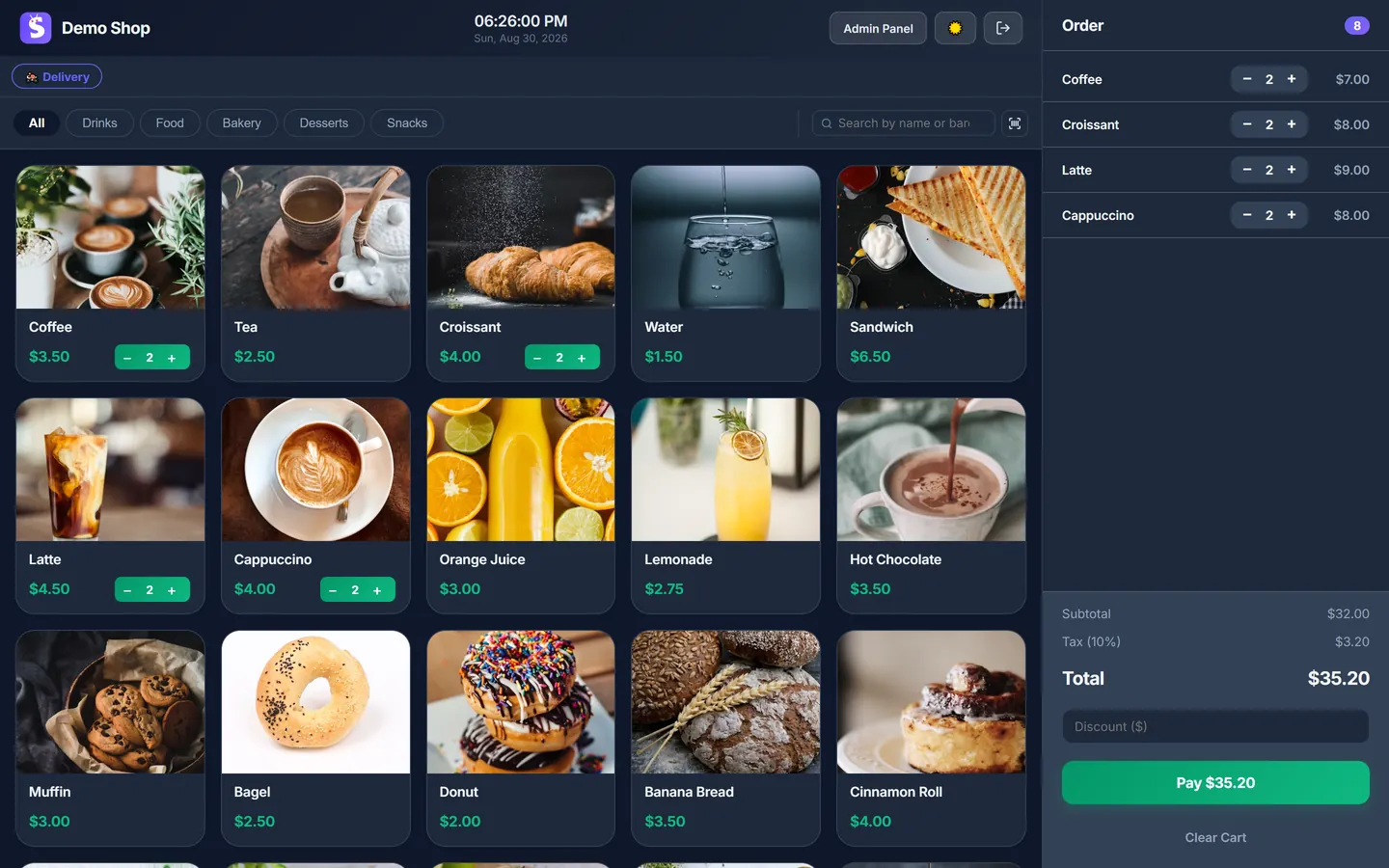
The POS, running in a browser tab.
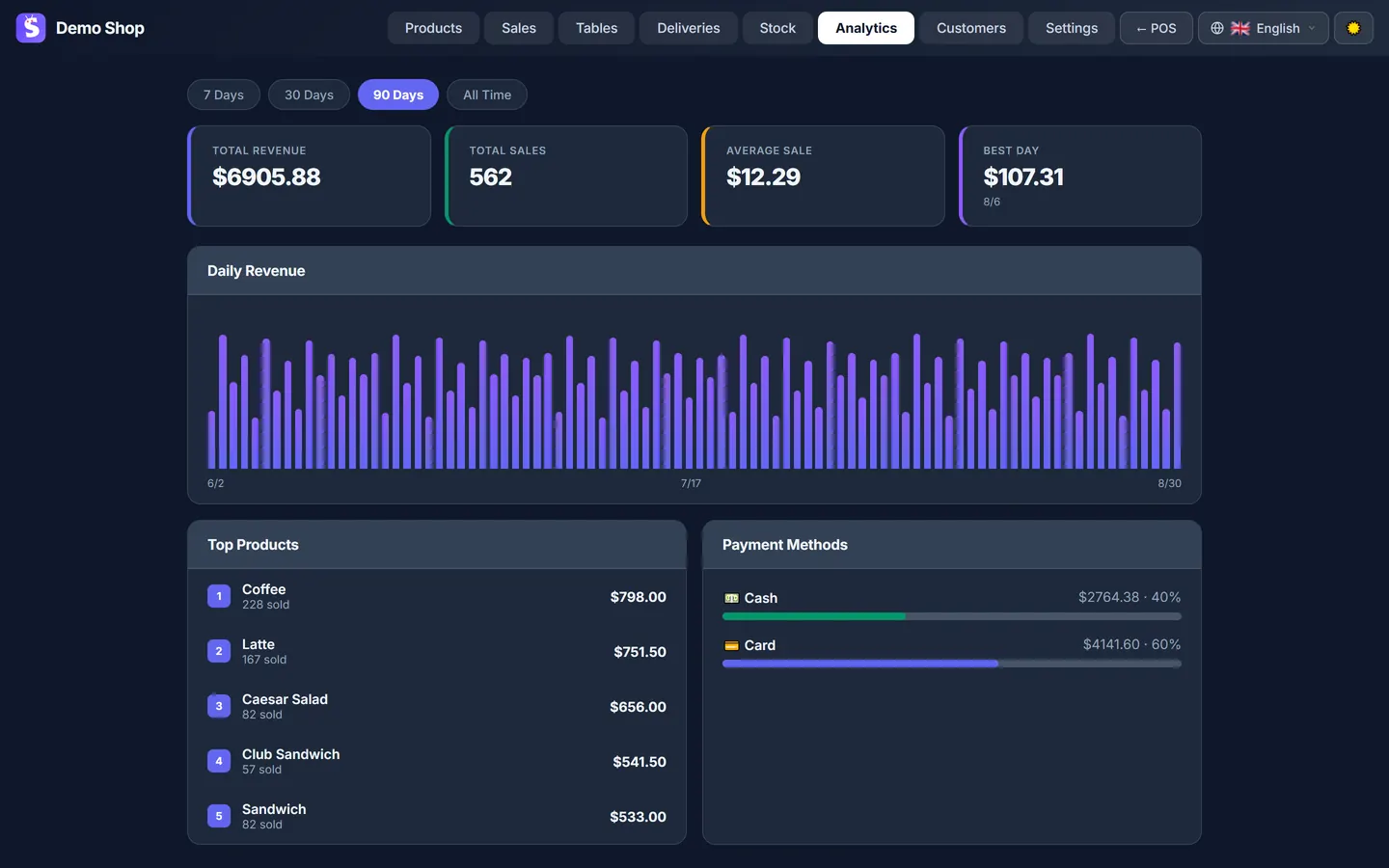
The admin dashboard — also just a browser tab (analytics shown is on the Pro plan).
Open sicada.app in any browser and start selling — no download, no install, nothing to set up on your computer. It works on any phone, tablet or laptop, and checkout keeps working if your internet drops.
Free forever · No credit card · 7 days of Pro to start
This is the actual app — open in a browser tab, no download.
The POS, running in a browser tab.
The admin dashboard — also just a browser tab (analytics shown is on the Pro plan).
A web-based POS — also called a cloud POS or browser-based POS — is point-of-sale software that runs on a website instead of a program you install. You open it in a browser, sign in, and it's ready. Your products, prices and sales history live on the provider's servers, so you can open the same till on a different device and carry on where you left off.
The older model is an on-premise POS: software installed on one machine, with the data on that machine and updates you run yourself. A web-based POS trades that for setup in minutes, automatic updates and access from any device — in return for needing an internet connection to sign in.
Sicada is a web-based POS. For how POS software compares to older tools, see the three main types of POS system.
No download, no operating-system lock-in, nothing to maintain.
Chrome, Safari, Firefox or Edge — on Windows, a Mac, an iPad or an Android tablet. There is no version to download and nothing tied to one operating system.
Sign in on the counter tablet, check today's total from your phone, edit products on a laptop at home. It's the same catalogue, prices and sales history everywhere.
If you want it to open full-screen like a native app, tap "Install" to add it to your home screen. It's still the same web app — no app store, no separate download.
Updates apply automatically in the background. You never stop to install a new version, and there is nothing to keep patched on your side.
If the connection drops, checkout keeps going. Sicada queues each sale — and any stock deduction — on the device and syncs them in order once you're back online. You do need a connection to sign in and to sync between devices.
Your products, prices and sales history are kept on Sicada's servers, so a lost, stolen or broken device doesn't take your records with it — sign in on another one and everything is there. Some data is cached in the browser too, so checkout keeps working if your connection drops. See our Privacy Policy for how your data is handled.
The browser is just how you open it — Sicada is a complete point of sale. The Free plan includes checkout with cash and card recording, an unlimited product catalogue, printed and digital receipts, your complete sales history, dine-in tabs for up to 5 tables, and offline checkout.
The Pro plan adds live stock tracking, the analytics dashboard, customer profiles, delivery and online ordering. Business adds loyalty, the AI assistant and live support — see the Free, Pro and Business plans.
Both models work. Here is the practical difference for a small shop.
| Feature | Web-based POS (Sicada) | Installed / on-premise POS |
|---|---|---|
| Getting started | Open a web address and sign in | Download and install on each computer |
| Updates | Automatic, in the background | Manual — you install each new version |
| Devices | Any phone, tablet or laptop with a browser | Usually tied to one operating system |
| Where your data is | On the provider's servers, reachable from any device | On the local machine |
| If a device breaks | Sign in on another device; your data is intact | Data can be lost if it wasn't copied elsewhere |
| Working offline | Checkout keeps working; syncs when back online | Always works offline — but no access from elsewhere |
| Cost to start | $0 on Sicada's Free plan, no card | Often a licence fee, plus the hardware |
This section is about the web-based model in general — it is not a comparison of specific products. Sicada's own plans are the Free, Pro and Business plans. The same web-based POS also works as a café POS or a POS for a small shop. Comparing Sicada with a specific product? See how it stacks up as a Loyverse alternative or a Square alternative.
Nothing to download, nothing to install.
In any browser, on the device you already use at the counter. Sign up free — no credit card.
Names, prices, photos, categories. A small shop is usually set up in under ten minutes.
Ring up sales, record cash and card payments, print a receipt if you want one. Want it full-screen? Tap "Install" — otherwise just keep the tab open.
Your shop data is kept on Sicada's servers and the site is served over HTTPS; some of it is also cached in your browser so checkout keeps working if your connection drops. Passwords are hashed and never stored in plain text, and Sicada's app sets no cookies — your login stays in the browser tab and clears when you close it. You can request an export of your data, or delete your account, at any time; our Privacy Policy explains how, and how your data is handled.
Checkout does. If your connection drops, Sicada saves each sale — and any stock deduction — on the device and syncs them automatically, in order, once you're back online. You do need a connection to sign in and to keep multiple devices in sync.
No. Open sicada.app in your browser and you're in — there's no app to download and nothing to set up on your computer. If you'd like it to open full-screen like a native app, you can tap Install to add it to your home screen, but that's optional and it's still the same web app.
Yes. Sicada runs the same on an iPad, an Android tablet, a phone or a laptop — anything with a current browser. Your products, prices and sales history are the same on every device you sign in on.
Any current version of Chrome, Safari, Firefox or Edge, on any operating system. There is nothing Windows-only or Mac-only about it — if the browser is up to date, Sicada works.
Just a device you already have — a computer, laptop, tablet or phone with a current browser. There is no proprietary POS hardware to buy. A receipt printer (it prints through the browser), a barcode scanner (a USB or Bluetooth one, or the device camera) and a cash drawer are all optional. To take card payments you need your own card reader and payment provider; Sicada records the sale as paid by card and does not process the card itself.
You can request a copy of your product list and sales history in a portable format at any time, and you can delete your account and its data whenever you want. Our Privacy Policy and Terms explain how.